Default passwords on routers are a well-documented problem. Manufacturers ship devices with a shared default — “admin,” “1234,” “password” — and users who never change it leave the door open. The standard advice is simple: change your default password.
CVE-2026-4377, disclosed on May 28, 2026 by CERT Polska, describes a variant of this problem that the standard advice doesn’t fully address. The D-Link DWR-X1820 cellular router generates its default administrative password algorithmically from the device’s IMEI number. The password is not shared across all units — each device gets a unique one, derived from a unique number. On the surface, that sounds like better security practice than a universal default.
The problem is that the IMEI is not a secret. It’s printed on a sticker on the outside of the device. It’s transmitted over the cellular network in ways that can be observed. And the algorithm that converts an IMEI into the router’s admin password, once known, is the only tool an attacker needs.
What the DWR-X1820 Is and Who Uses It
The D-Link DWR-X1820 is a cellular gateway router — a device that connects to mobile networks (4G/LTE or 5G) and provides wired and wireless internet access to devices connected to it. This category of router is common in settings where fixed broadband isn’t available or isn’t reliable: rural homes, small businesses, backup connectivity for networks that primarily rely on fiber or cable, mobile deployments, and temporary locations.
D-Link is one of the most recognizable names in consumer and small-business networking. The DWR series is their cellular router line, and the X1820 is among their current generation. Users who buy this device are often doing so specifically because they need reliable connectivity in places where the alternatives are limited — making the security of the device particularly consequential. A cellular router in a rural home or a small business may be the single point through which all internet traffic flows.
The Vulnerability: IMEI as a Password Source
Every cellular device has a unique 15-digit identifier called the IMEI — International Mobile Equipment Identity. It’s used by mobile networks to identify individual devices, block stolen hardware, and route communications. On a cellular router like the DWR-X1820, the IMEI identifies the router’s modem component.
According to the CERT Polska advisory, the DWR-X1820 generates its default administrative password using the device’s IMEI as the input to a deterministic algorithm. The output is a password that’s unique to each device — but not random. Given the IMEI, an attacker who knows the algorithm can compute the password.
The IMEI is:
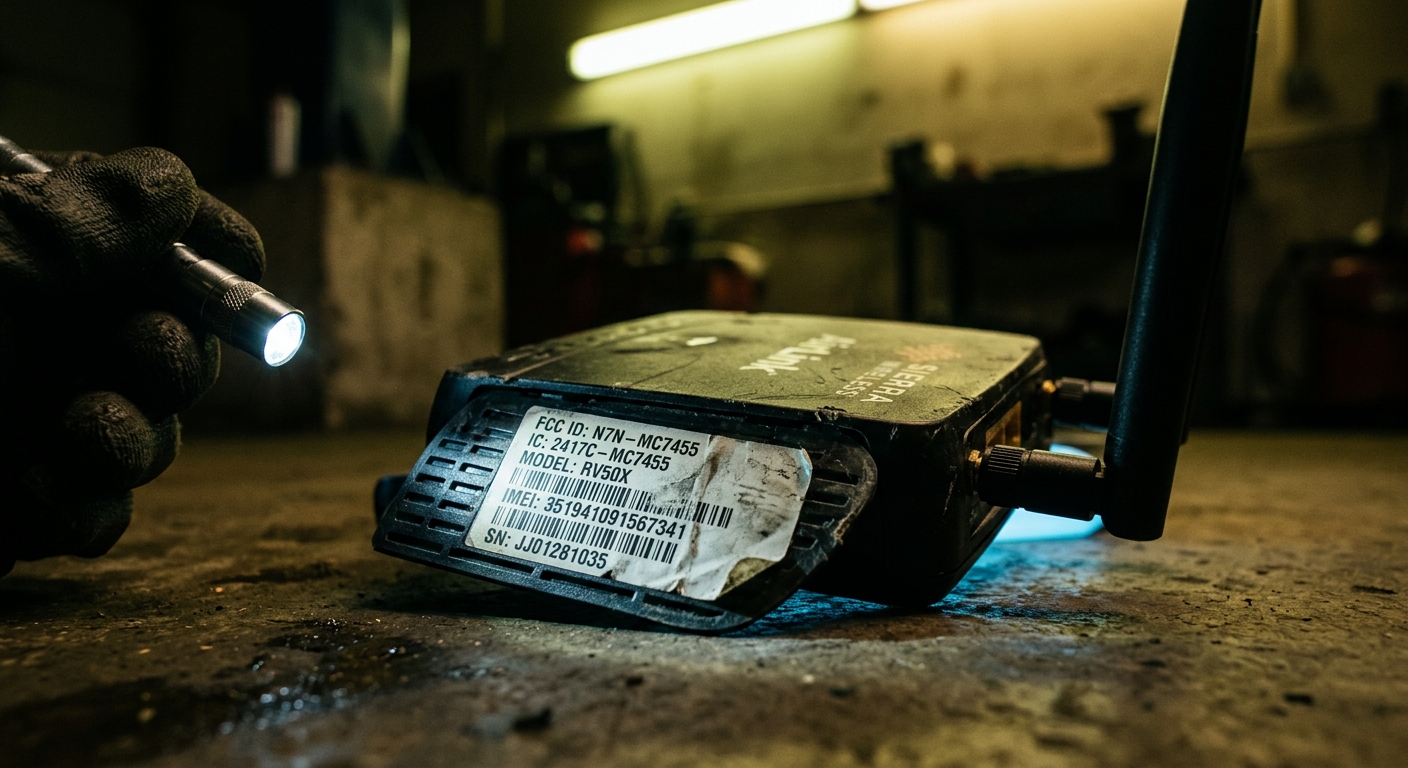
Printed on the device. The IMEI is typically on a sticker on the bottom or back of the router, alongside the serial number and other identification information. Anyone who has ever touched the device — a delivery person, a technician, a neighbor, anyone who was briefly in the same room — could have noted it.
Visible on the device’s web interface. Router management interfaces commonly display the IMEI of the modem component. An attacker who gains any foothold on the network — or who can see an unauthenticated status page — may be able to retrieve the IMEI without ever having physical access to the hardware.
Transmitted over the cellular network. IMEI is transmitted during cellular network authentication. Equipment capable of intercepting or logging cellular communications in the device’s vicinity — an IMSI catcher, for example — can capture the IMEI.
Potentially obtainable through social engineering or supply chain exposure. IMEI numbers pass through distribution chains, are logged in carrier systems, and appear in repair and return records. The number of parties who have had access to a specific device’s IMEI before it reaches the end user may be larger than expected.
None of these exposure vectors requires sophisticated technical capability. The most basic case — reading the sticker — requires only momentary physical proximity to the device.
Why Unique-But-Predictable Is Not the Same as Secure
The logic behind deriving a password from the IMEI is apparently to avoid the worst-case scenario of universal default credentials: if every unit has a different password, a credential leaked from one device doesn’t automatically compromise all devices of the same model.
This is a meaningful improvement over shared defaults. But it conflates two different security properties: uniqueness and secrecy. A password can be unique — different for every device — and still be predictable if it’s derived from information that is not secret.
What makes a password secure is not that it’s different from other passwords. It’s that it cannot be derived by someone who doesn’t already know it. A password generated from the IMEI fails this test because the IMEI is not a secret — it’s an identifier that exists specifically to be communicated to other systems.
The correct approach is to generate default passwords from a cryptographically random source during manufacturing and print that random password on the device (alongside the IMEI and serial number). This is the model used by better-designed consumer routers. The random password is unique per device, not derivable from any observable device property, and known only to whoever has the physical device or its documentation. It achieves uniqueness and secrecy simultaneously.
IMEI-derived passwords achieve uniqueness but fail secrecy. CVE-2026-4377 is the formalization of that failure.
Scope and Affected Versions
CERT Polska, the Polish national CERT, coordinated the vulnerability disclosure. The researcher who discovered and reported the issue is Bartłomiej Włodarski.
The affected firmware versions are 1.00B14CP through 1.00B15CP. D-Link released a fix in firmware version 1.00B16CP. Devices running the patched firmware generate passwords through a different mechanism that does not rely on the IMEI.
The disclosure follows the standard coordinated vulnerability disclosure model: the researcher reported the issue to CERT Polska, who coordinated with D-Link to develop and release a fix before public disclosure of the technical details. The CVE was assigned the identifier CVE-2026-4377.
What To Do
If you have a D-Link DWR-X1820: Update to firmware version 1.00B16CP or later immediately. Log into the device’s management interface (the address is typically printed on the device or in the documentation), navigate to the firmware update section, and apply the latest available update.
After updating, change the default password. Even on the patched firmware, relying on any manufacturer-generated default password is not best practice. Set a strong, unique administrative password that you’ve chosen yourself and that isn’t stored anywhere accessible.
If you haven’t updated and can’t immediately: Change your administrative password now, before applying the firmware update. This removes the IMEI-derived vulnerability even on older firmware, because the exploit requires the default password — if you’ve already replaced it with a strong random password, the algorithm is irrelevant.
Audit your management interface exposure. The DWR-X1820’s administrative interface should not be accessible from the internet-facing side of the device. Check whether remote management is enabled and disable it if you don’t specifically need it. Limit management access to the local network only.
Note the device in your tracking. Cellular routers tend to be “set and forget” hardware — deployed because broadband isn’t available, and then largely ignored as long as connectivity works. Put a reminder to check firmware versions for this device on a regular basis. D-Link’s security bulletin page lists updates for current products.
D-Link’s Track Record in 2026
This disclosure comes after a difficult year for D-Link’s router security. In January 2026, attackers were actively exploiting a critical remote code execution vulnerability in legacy D-Link DSL routers. In March, D-Link hardware was included in the broader router CVE wave alongside Tenda and other manufacturers. And now CVE-2026-4377 adds a design-level flaw in a current-generation product to the list.
D-Link has consistently released fixes for vulnerabilities in supported products, and the DWR-X1820 received a patch through the coordinated disclosure process. But the pattern of recurring vulnerabilities across the product line reflects the broader industry challenge: networking hardware is designed and manufactured under cost and time constraints that are not always compatible with comprehensive security review, and vulnerabilities that passed initial review continue to surface in the field.
For homeowners and small business operators who rely on D-Link cellular routers as their primary connectivity, the message is straightforward: keep firmware current, change default passwords, and disable remote management. Those three steps close the most common attack vectors regardless of which specific vulnerability happens to be disclosed next.
The IMEI is on the sticker. The algorithm that converts it to a password was presumably figured out quickly once researchers had access to the firmware. The patch is available. Apply it.